Show Mobile Navigation

Ads

iTunes
Showing posts with label iTunes. Show all posts

Monday, 20 May 2013

How to Remove Card information from iTunes

Unknown - Monday, May 20, 2013

Steps to Remove Card information from iTunes

 Now a days Apple is not allowing to create an apple id without card information. Here i am going to explain how to remove card information from iTunes.
Step  1: Open iTunes from your computer and click iTunes Store in Top Right .
Step  2: Click on your apple id 


 Step 3:  Choose Account option


Step 4: iTunes will ask your password again Enter your apple id Password.


Step 5: Choose Payment information from your account  information and  Click on Edit 


Step 6:   Choose None in payment method and Click on Done.


I think this will help you,any queries or comments ?
Wednesday, 8 May 2013

How To Create Apple id in iTunes

Unknown - Wednesday, May 08, 2013
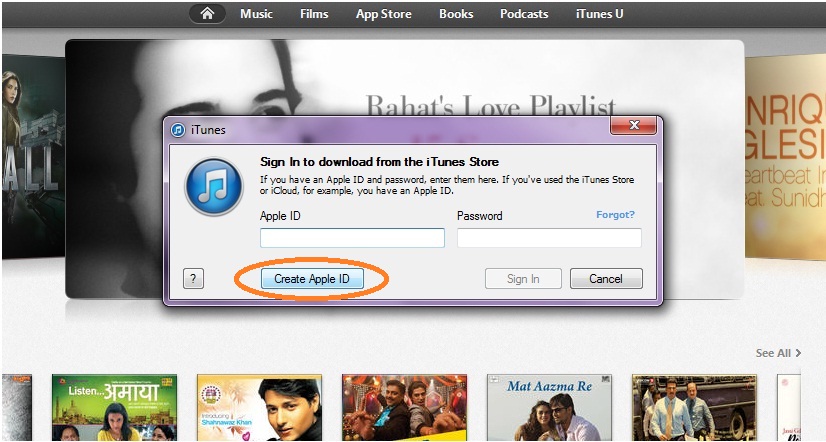
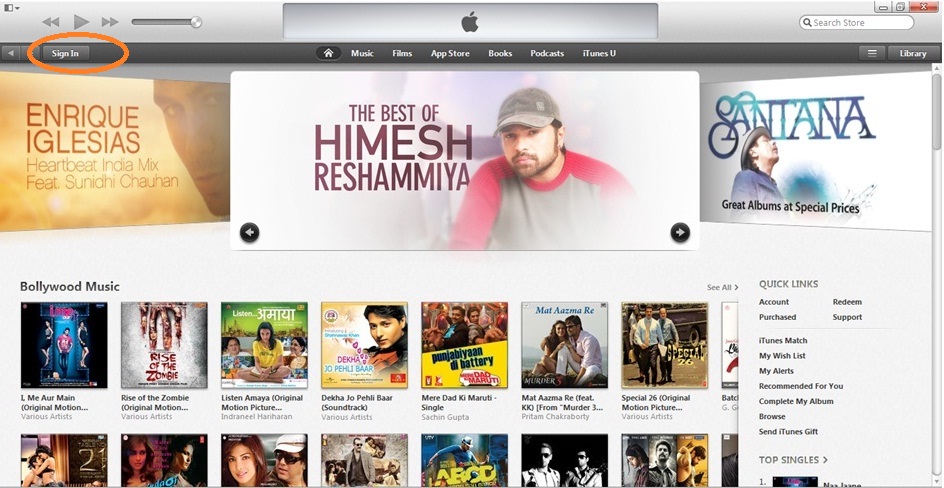
create apple id in iTunes Step1: Open iTunes and Click on Sign In in Top Left Corner


Step 2: Click on Create Apple ID in popup box

create apple id in iTunes store

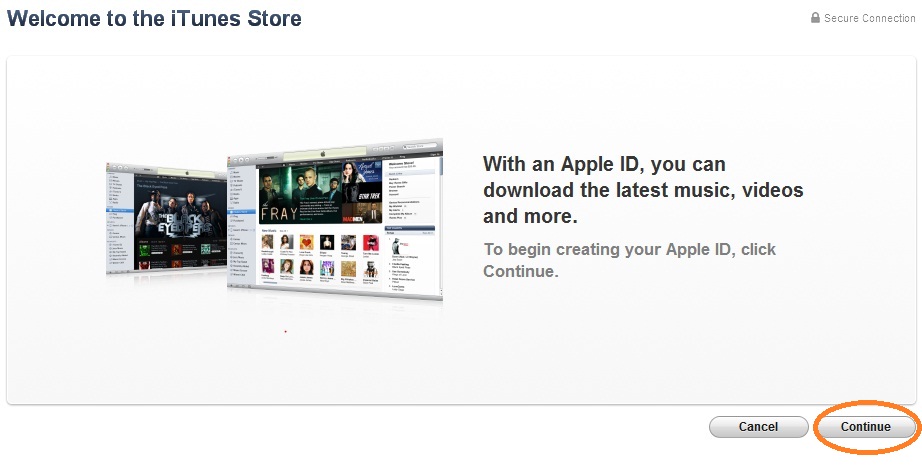
Step 3: Click on Continue button

create apple id in iTunes

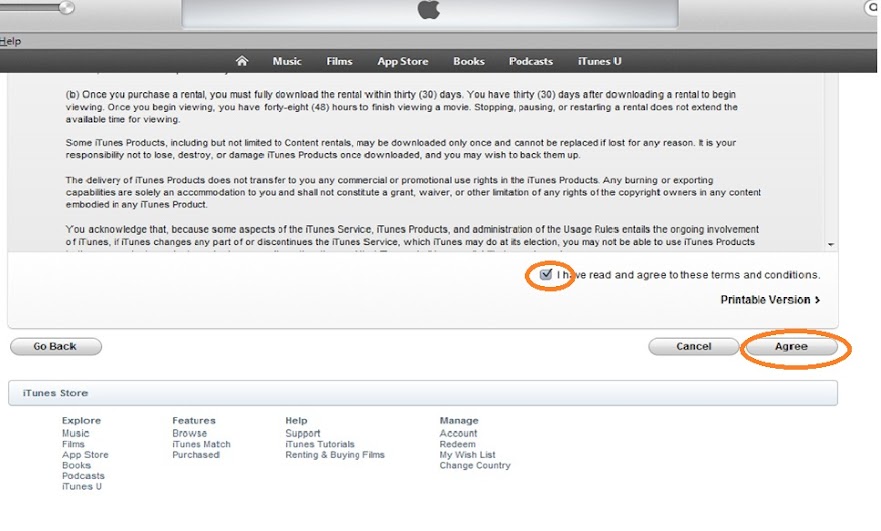
Step 4: Accept the terms and conditions and Click on Agree button


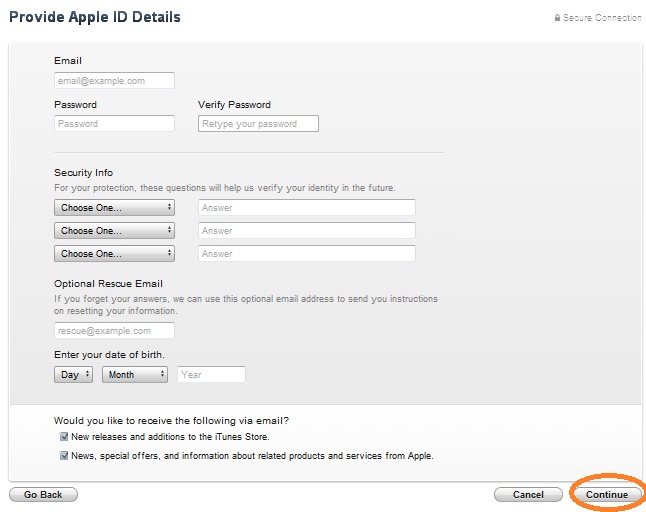
Step 5: Fill all your required information and Click on Contunue


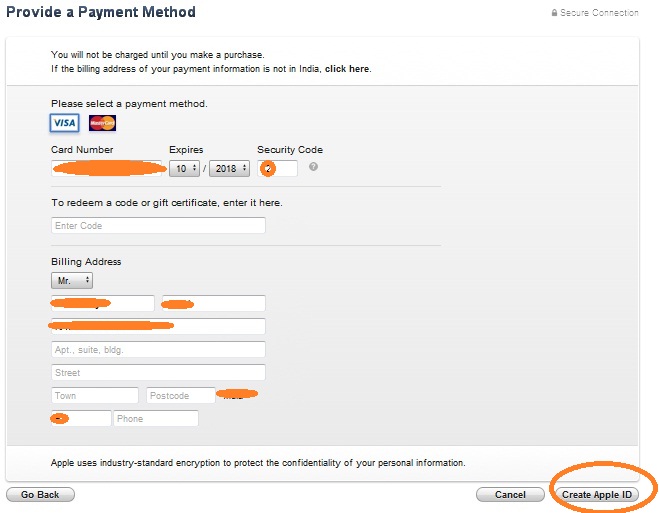
Step 6: Fill your payment details and billing address.
Note: Apple will not be charge any thing untill you purchase any app or game from app store.


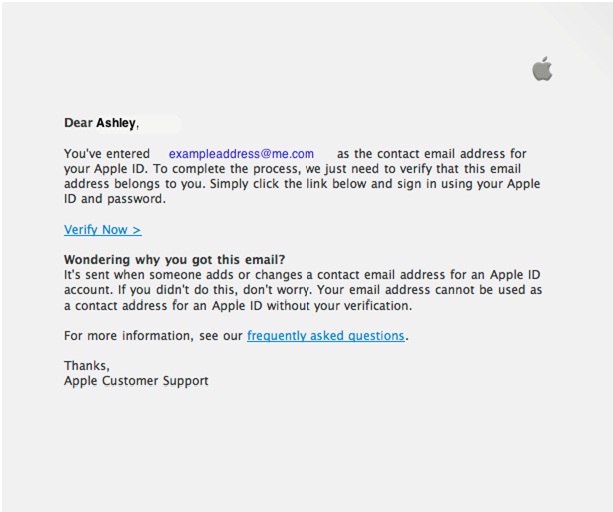
Step 7: You'll then see a "Verify your Account" screen. Click Done, and then check your email for a verification email from iTunes Store.

Step 8; Open the email, and click the link enclosed in the email to activate your account.


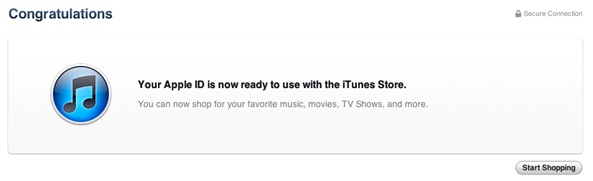
Step 9: Once you click on the Verify link, the Apple ID website should ask you to sign in with your account name and password.

create apple id in iTunes

Previous
Editor's Choice